> ## Documentation Index
> Fetch the complete documentation index at: https://docs.runcomfy.com/llms.txt
> Use this file to discover all available pages before exploring further.
# Quickstart
## What is the Model API?
The **Model API** lets you run hosted models from RunComfy with a single, consistent REST interface:
* **No deployment** (on-demand inference)
* **Per-request billing**
* **Async queue**: submit > get `request_id` > poll status/result
* **Hosted outputs** returned as URLs when the run completes
***
## Choose a model
The Model API can run models/pipelines from two sources:
### Option A: Models catalog (hosted models)
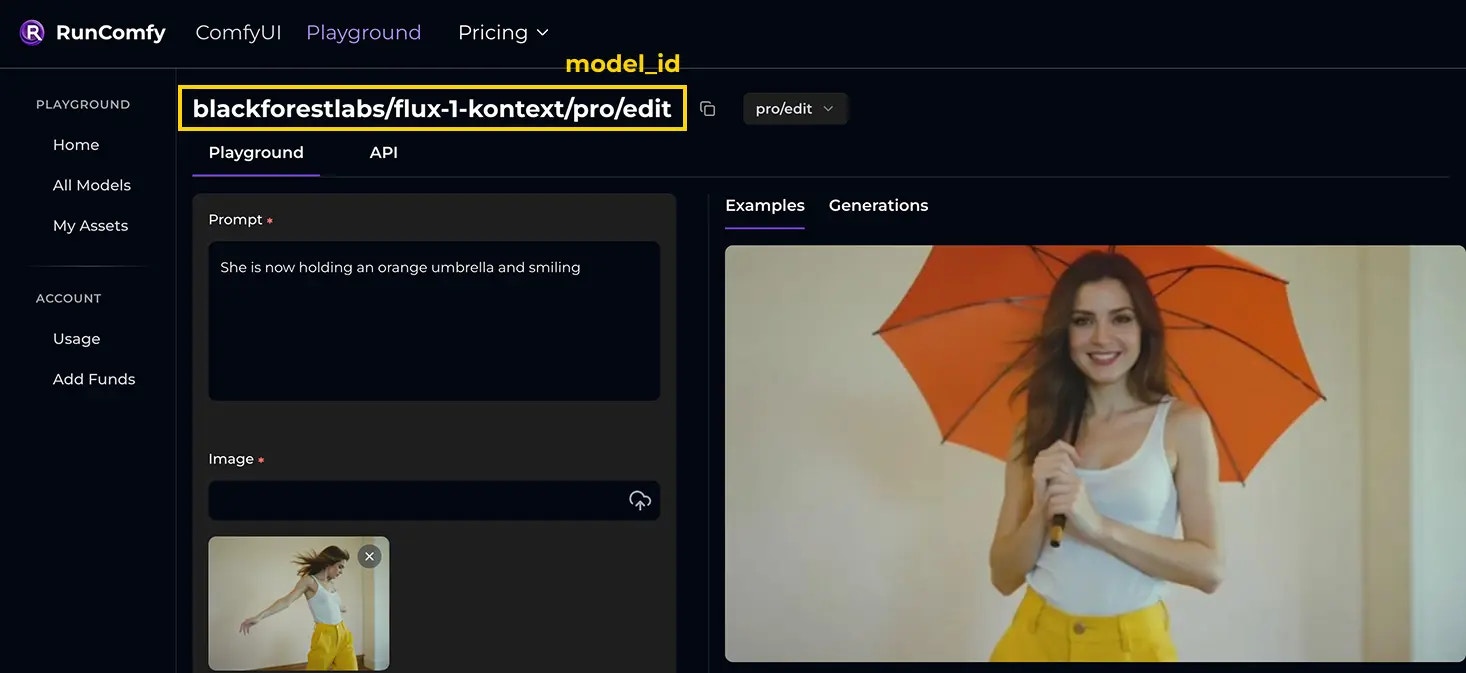
Pick a model from [Models](https://www.runcomfy.com/models). Each model page shows its `model_id`.
In this quickstart we’ll use:
[blackforestlabs/flux-1-kontext/pro/edit](https://www.runcomfy.com/models/blackforestlabs/flux-1-kontext-pro/image-to-image)
Its `model_id` is: `blackforestlabs/flux-1-kontext/pro/edit`
 ### Option B: Trainer LoRA inference (on-demand)
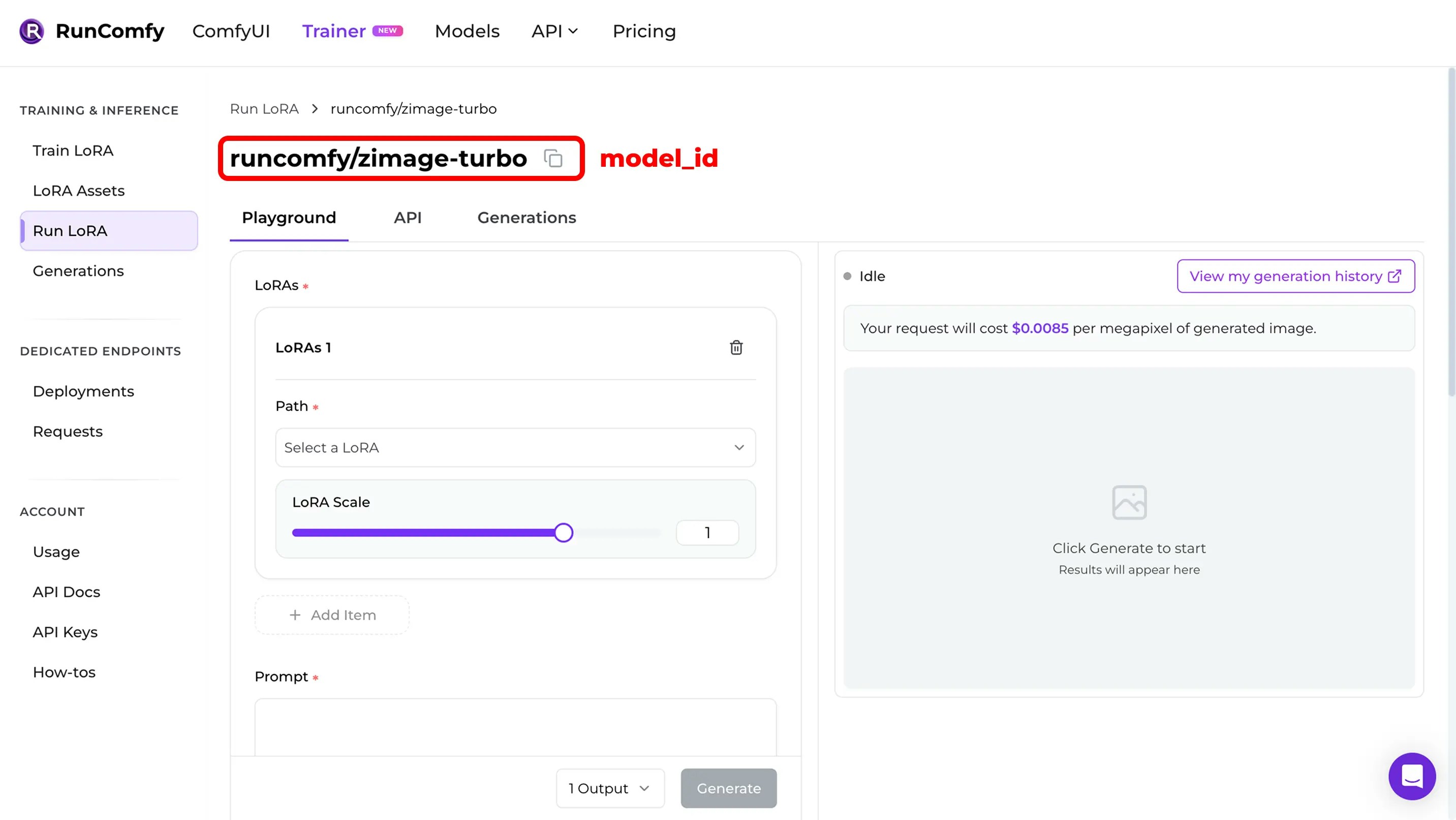
If you trained (or imported) a LoRA in **[RunComfy Trainer](https://www.runcomfy.com/trainer/ai-toolkit/app)** and want to run inference **without deploying**, you can still use the **Model API**.
Important detail:
* you call a **base model pipeline** by `model_id`
* you pass the LoRA as **input parameters** in the request body
See **[LoRA Inputs (Trainer)](/model-apis/async-queue-endpoints#lora-inputs-trainer)** for the exact request fields.
### Option B: Trainer LoRA inference (on-demand)
If you trained (or imported) a LoRA in **[RunComfy Trainer](https://www.runcomfy.com/trainer/ai-toolkit/app)** and want to run inference **without deploying**, you can still use the **Model API**.
Important detail:
* you call a **base model pipeline** by `model_id`
* you pass the LoRA as **input parameters** in the request body
See **[LoRA Inputs (Trainer)](/model-apis/async-queue-endpoints#lora-inputs-trainer)** for the exact request fields.
 > If you want a dedicated endpoint (choose hardware, autoscale, stable `deployment_id`), use **[Serverless API (LoRA)](/serverless-lora/introduction)**.
> Want to train a LoRA model yourself? Start with **[Trainer APIs Quickstart](/trainer-apis/quickstart)**.
***
## Authentication
All requests require a Bearer token:
`Authorization: Bearer `
Get your token from your [Profile](https://www.runcomfy.com/profile) page.
***
## Submit a request
Send a JSON body that matches the model’s input schema. For file inputs, provide publicly accessible HTTPS URLs.
```bash theme={null}
curl --request POST \
--url https://model-api.runcomfy.net/v1/models/blackforestlabs/flux-1-kontext/pro/edit \
--header "Content-Type: application/json" \
--header "Authorization: Bearer " \
--data '{
"prompt": "She is now holding an orange umbrella and smiling",
"image_url": "https://playgrounds-storage-public.runcomfy.net/tools/7063/media-files/usecase1-1-input.webp",
"seed": 81030369,
"aspect_ratio": "16:9"
}'
```
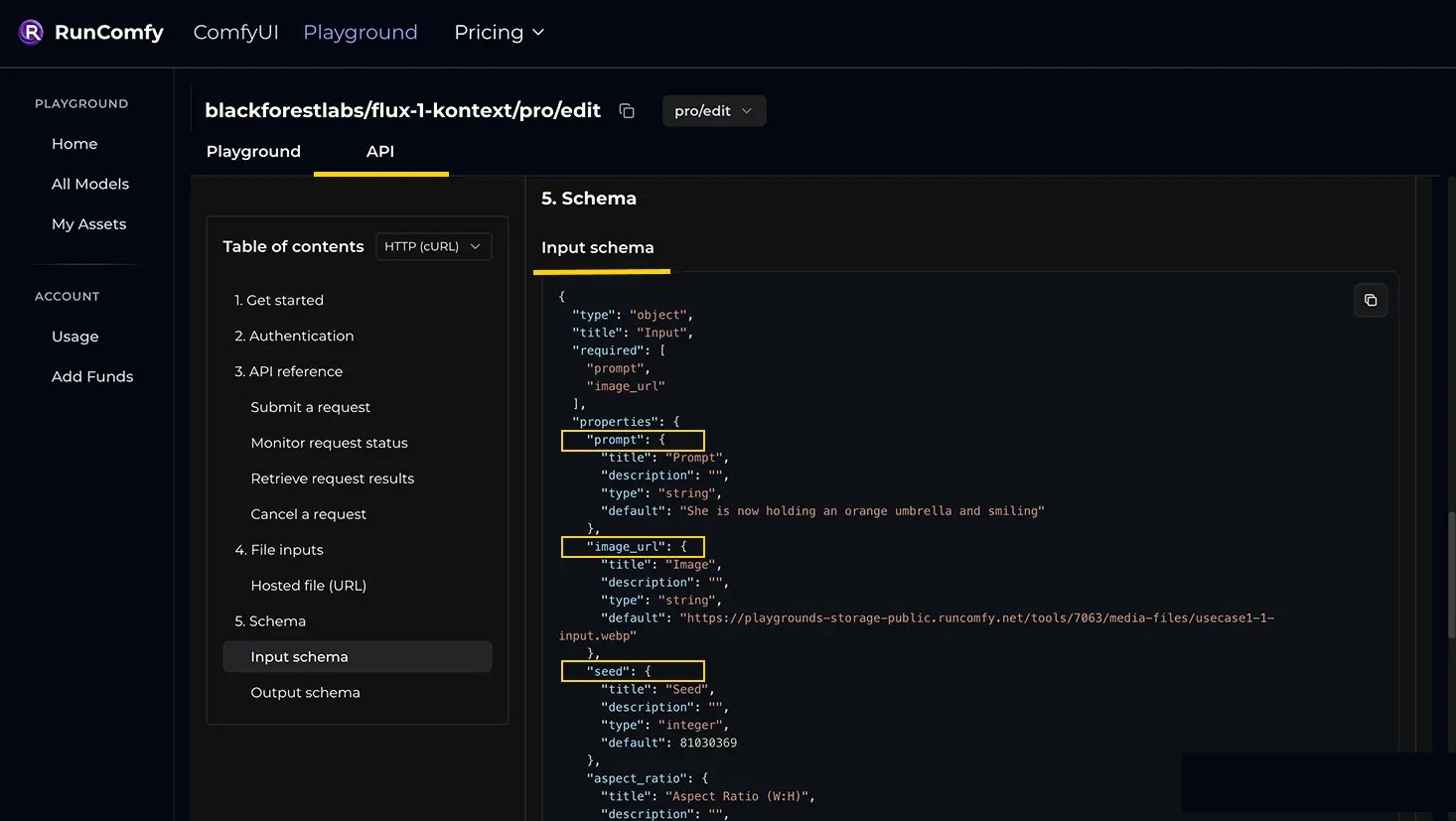
Tip: use the model’s **Input schema** as the source of truth (model page > API/Schema > properties).
> If you want a dedicated endpoint (choose hardware, autoscale, stable `deployment_id`), use **[Serverless API (LoRA)](/serverless-lora/introduction)**.
> Want to train a LoRA model yourself? Start with **[Trainer APIs Quickstart](/trainer-apis/quickstart)**.
***
## Authentication
All requests require a Bearer token:
`Authorization: Bearer `
Get your token from your [Profile](https://www.runcomfy.com/profile) page.
***
## Submit a request
Send a JSON body that matches the model’s input schema. For file inputs, provide publicly accessible HTTPS URLs.
```bash theme={null}
curl --request POST \
--url https://model-api.runcomfy.net/v1/models/blackforestlabs/flux-1-kontext/pro/edit \
--header "Content-Type: application/json" \
--header "Authorization: Bearer " \
--data '{
"prompt": "She is now holding an orange umbrella and smiling",
"image_url": "https://playgrounds-storage-public.runcomfy.net/tools/7063/media-files/usecase1-1-input.webp",
"seed": 81030369,
"aspect_ratio": "16:9"
}'
```
Tip: use the model’s **Input schema** as the source of truth (model page > API/Schema > properties).
 ***
## Poll status
```bash theme={null}
curl --request GET \
--url https://model-api.runcomfy.net/v1/requests/{request_id}/status \
--header "Authorization: Bearer "
```
Typical lifecycle:
`in_queue` > `in_progress` > `completed`
***
## Fetch results
```bash theme={null}
curl --request GET --url https://model-api.runcomfy.net/v1/requests/{request_id}/result --header "Authorization: Bearer "
```
***
## Poll status
```bash theme={null}
curl --request GET \
--url https://model-api.runcomfy.net/v1/requests/{request_id}/status \
--header "Authorization: Bearer "
```
Typical lifecycle:
`in_queue` > `in_progress` > `completed`
***
## Fetch results
```bash theme={null}
curl --request GET --url https://model-api.runcomfy.net/v1/requests/{request_id}/result --header "Authorization: Bearer "
```